How to Build a Digital Marketing Dashboard That Actually Drives Decisions: A Practical Guide for Australian Businesses
Most Australian SMEs fall into one of two traps when it comes to marketing data. Either they have no centralised reporting at all — decisions get made on gut feel and whoever spoke last in the Monday meeting — or they have a dashboard so cluttered with pie charts and session counts that nobody looks at it after the first week. Neither situation is acceptable when you're spending serious money on SEO, paid media, and content.
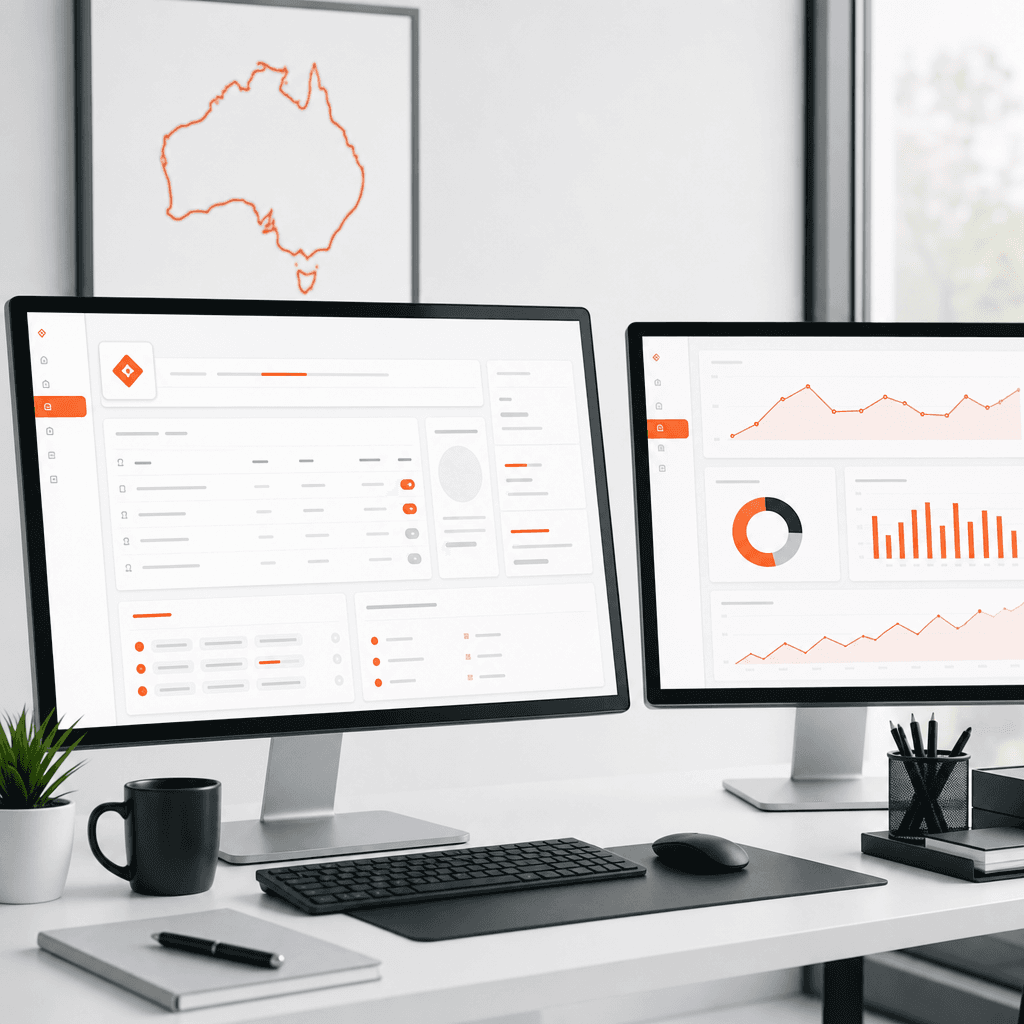
A well-built digital marketing dashboard is not a vanity project. It's a decision-making tool. The difference between a dashboard that collects dust and one that drives a weekly strategy conversation comes down to one thing: whether the metrics on screen connect directly to business outcomes. Clicks don't pay salaries. Leads, conversions, and revenue do. If your current reporting doesn't trace a clear line from marketing activity to dollar outcomes, you're flying blind — and your competitors who do have that visibility are making smarter budget calls every single month.
This guide is written specifically for Australian business owners and marketing managers who want to close that gap. We'll walk through the five dashboard types your business actually needs, which KPIs belong on each, how to choose the right tool for your budget, and a step-by-step walkthrough for building your first Looker Studio dashboard. We'll also share two real case studies from our work at 3P Digital that show what proper dashboarding does to decision speed and marketing ROI. Let's get into it.
Key Takeaways
Most marketing dashboards fail because they track activity metrics instead of outcome metrics tied to business goals
Australian businesses need five core dashboard types: executive overview, SEO, paid media, content, and conversion
Google Looker Studio is the best starting point for most Australian SMEs — it's free, connects to GA4 natively, and is highly customisable
KPI selection must be industry-specific; a mortgage broker's dashboard looks nothing like a fitness studio's dashboard
The 3P Digital Framework (Profile, Plan, Perform) provides the strategic structure for connecting dashboard metrics to real revenue decisions
You don't need a full analytics team to build a functional dashboard, but you do need a clear data strategy before you touch a single tool
Dashboard Types vs KPIs vs Tools vs Cost
Dashboard Type | Primary KPIs | Recommended Tool | Est. Monthly Cost (AUD) |
Executive Overview | Revenue, CPL, ROAS, MQL volume | Looker Studio + GA4 | Free (DIY) / $500–$1,500 (managed) |
SEO Performance | Organic sessions, keyword rankings, backlinks, CTR | Looker Studio + GSC + Ahrefs | $0–$200 (tools) |
Paid Media | Spend, ROAS, CPC, conversion rate, impression share | Google Ads + Looker Studio or AgencyAnalytics | $49–$149 USD |
Content Marketing | Page views, avg. time on page, scroll depth, leads from content | GA4 + Looker Studio | Free (DIY) |
Conversion Optimisation | CVR by landing page, form completions, heatmap data | GA4 + Hotjar or Clarity | $0–$99 |
Why Most Marketing Dashboards Are Useless
Before we build anything, we need to be honest about why most dashboards fail. After auditing reporting setups for dozens of Australian businesses across mortgage broking, recruitment, fitness, and professional services, we see the same problems over and over.
They Track the Wrong Things
Vanity metrics are any number that looks impressive but doesn't connect to a decision. Total website sessions, social media followers, email open rates, and page likes all fall into this category when they exist in isolation. These numbers feel good. They trend upward with basic effort. But they don't tell you whether your marketing is generating revenue or burning budget.
Compare that to metrics like cost per qualified lead, revenue attributed to organic search, or conversion rate by traffic source. These numbers create urgency. If your cost per lead from Google Ads jumped 40% last month, you need to act. If organic traffic is up 20% but leads from that channel are flat, you have a conversion problem, not a traffic problem. Outcome metrics force decisions. Vanity metrics generate PowerPoint slides.
No Alignment to Business Goals
The second major failure is building a dashboard that reflects what the marketing team thinks is important rather than what the business owner or board actually cares about. A marketing manager might obsess over keyword rankings. The CEO wants to know if marketing is contributing to quarterly revenue targets.
The fix is simple but often skipped: start every dashboard project by asking the decision-maker what questions they need answered each week. Not what data they want to see. What questions they need answered. That distinction changes everything about how you structure a report.
Too Many Data Sources, No Integration
Many Australian SMEs are pulling data from Google Ads, Meta Ads, GA4, their CRM, and their email platform — and reading each one separately. There's no unified view, which means no unified decision. You can't optimise total marketing ROI if you're looking at each channel in a silo.
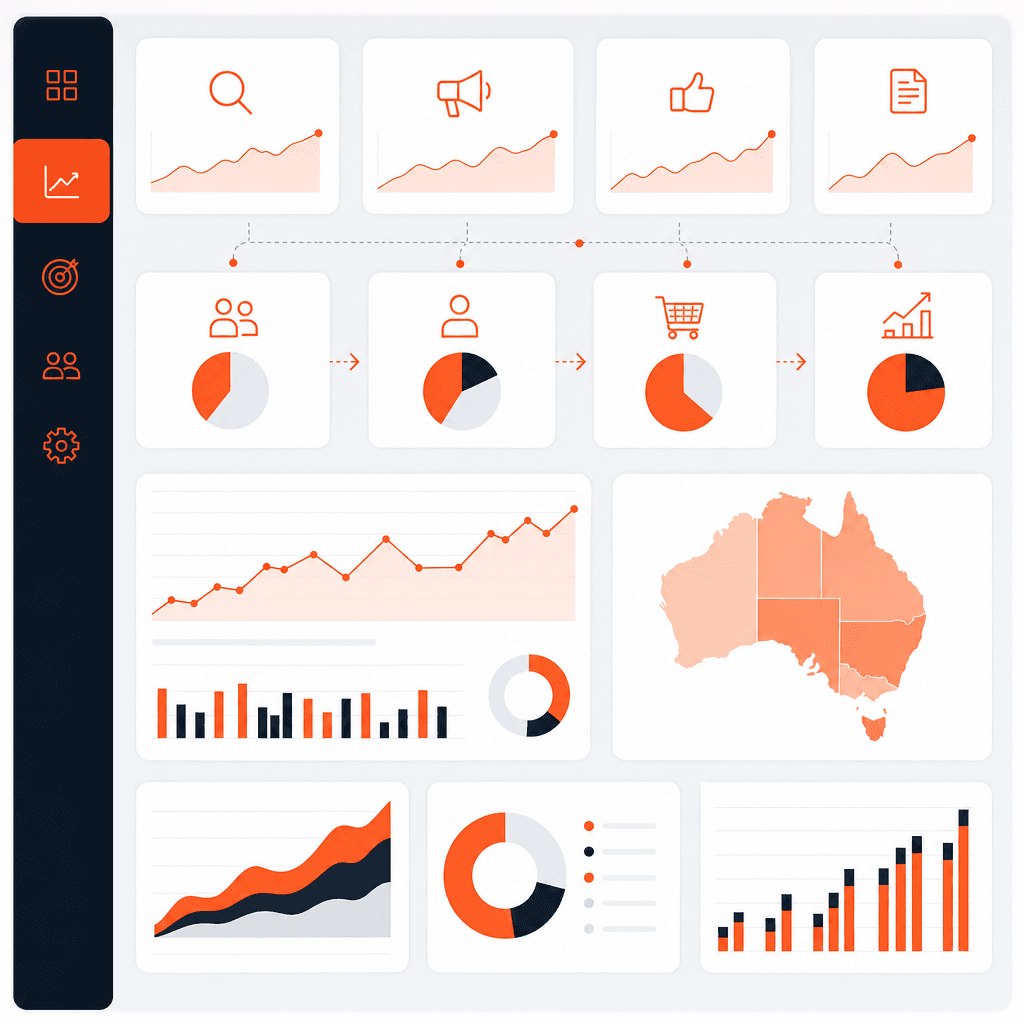
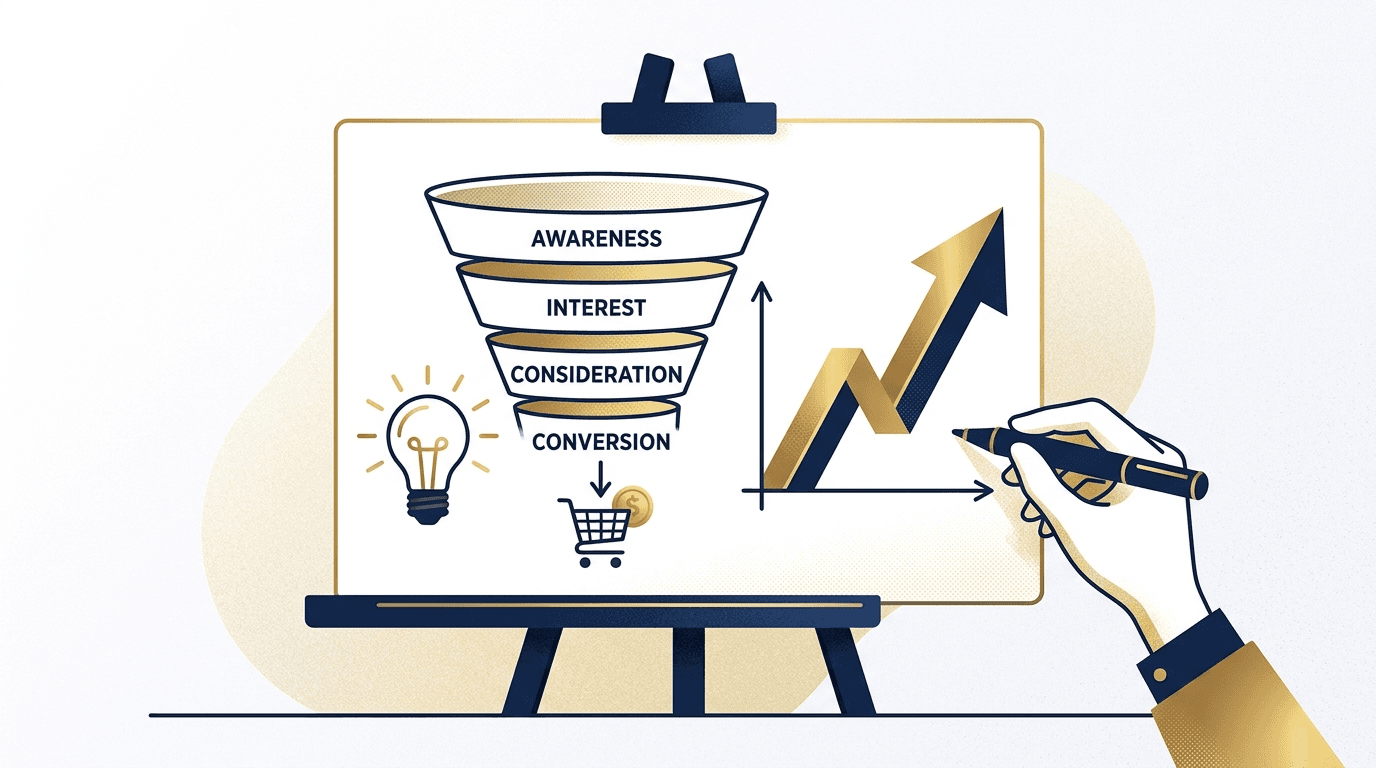
A properly built marketing analytics dashboard pulls all of these sources into a single interface so you can compare channel performance, understand the full customer journey, and allocate budget based on what's actually working across the entire funnel.
The 5 Dashboard Types Every Australian Business Needs
No single dashboard can serve every audience and every decision. The mistake most businesses make is trying to build one master dashboard that shows everything. The result is a cluttered mess that nobody trusts.
Instead, build purpose-specific dashboards for different decision-making contexts. Here are the five you need.
1. Executive Overview Dashboard
This is the dashboard your CEO, business owner, or board looks at. It should answer three questions: Are we hitting our growth targets? Is marketing ROI improving or declining? Where should we focus next quarter?
Key metrics for an executive dashboard include:
Total leads generated (by channel)
Cost per lead and cost per acquisition
Marketing-attributed revenue
Return on ad spend (ROAS) across paid channels
Month-over-month and year-over-year growth trends
Pipeline value (if you have CRM integration)
Keep this dashboard to one page. If it takes more than 90 seconds to read, it's too complex. The executive overview exists to prompt strategic conversations, not to explain methodology.
2. SEO Performance Dashboard
An SEO dashboard tracks the health and momentum of your organic search presence. It needs to show both effort metrics (technical health, content published) and outcome metrics (rankings, traffic, leads).
Core KPIs for Australian businesses include:
Organic sessions (total and by landing page)
Keyword rankings for your primary commercial terms
Click-through rate from Google Search Console
Backlink profile growth (domain rating, referring domains)
Organic conversion rate and leads from organic traffic
Core Web Vitals scores (a direct Google ranking factor)
For a mortgage broker in Sydney, for example, we'd prioritise rankings for terms like "home loan broker Sydney" and "refinance mortgage Australia" and track how organic traffic to those specific service pages converts into enquiry form submissions.
3. Paid Media Dashboard
Your paid media dashboard is where budget decisions happen. It needs to give you immediate visibility into whether your ad spend is generating a return and where the leaks are.
Critical paid media KPIs:
Total spend by platform (Google Ads, Meta, LinkedIn)
Impressions, clicks, CTR, and average CPC
Conversion rate by campaign and ad group
ROAS and cost per conversion
Quality Score trends (Google Ads)
Frequency and reach (Meta)
A word of caution: attribution is complicated in 2026. GA4's data-driven attribution model will often show different numbers than your ad platform's native reporting. Our guide on data-driven attribution models covers how to reconcile this discrepancy so you're not making budget decisions based on inflated channel numbers.
4. Content Marketing Dashboard
Content dashboards are often the most neglected. Most businesses either track nothing or track pageviews, which tells you nothing useful on its own.
A content dashboard should answer: Which pieces of content are driving leads? What content keeps people engaged long enough to convert? Where are we losing people in the content journey?
KPIs for a content dashboard:
Sessions by content piece and content category
Average engagement time (GA4 replaces bounce rate with this metric)
Scroll depth (via GA4 events or Hotjar)
Leads and conversions attributed to content-first sessions
Content published vs. content targets (production KPI)
Top entry pages from organic and referral traffic
5. Conversion Optimisation Dashboard
This is the dashboard that directly connects your marketing investment to revenue outcomes at the bottom of the funnel. It should be reviewed weekly by whoever owns your conversion optimisation strategy.
Key metrics:
Landing page conversion rate by traffic source
Form completion rate
Checkout or enquiry drop-off rate (by step)
A/B test results and statistical significance
Heatmap engagement data (qualitative layer)
Page speed and Core Web Vitals by key conversion pages
Choosing the Right KPIs (With Examples by Industry)
Not all KPIs are created equal, and the right metrics depend heavily on your business model. Here's how we approach KPI selection across the industries we work with most often at 3P Digital.
Mortgage Broking
Mortgage brokers live and die by qualified leads. The sales cycle is long and trust-dependent, so top-of-funnel vanity metrics are almost irrelevant. What matters:
Number of qualified enquiries per month
Cost per qualified enquiry (by channel)
Lead-to-application conversion rate
Revenue per settled loan attributed to marketing source
Organic rankings for suburb-specific and product-specific loan terms
Recruitment
Recruitment agencies often serve two audiences: employers and candidates. Your dashboard needs to track both sides of that marketplace separately.
Job seeker applications (by campaign and source)
Client enquiries and new job orders (by channel)
Cost per placed candidate attributed to digital
Employer landing page conversion rate
LinkedIn ad performance for employer-facing campaigns
Fitness and Wellness
Fitness businesses are typically local and depend on physical attendance or app engagement. KPIs here are:
Local organic visibility (Google Business Profile clicks, calls, directions)
Trial class or free session bookings (by campaign)
Cost per new member acquisition
Member retention rate (if tracked via digital channels)
Social media conversion (link in bio clicks to bookings)
Professional Services
For accountants, lawyers, consultants, and similar businesses, the dashboard needs to reflect a longer decision cycle with more content touchpoints before conversion.
Content engagement rate on thought leadership articles
Email list growth and engagement rates
Webinar or event registrations from digital campaigns
Contact form submissions by service page
Average sessions before first enquiry (attribution depth)
Tool Comparison for Australian Businesses
Choosing the right dashboard tool is about matching capability to budget and technical resources. Here's an honest breakdown of the main options available to Australian businesses in 2026.
Google Looker Studio (Formerly Data Studio)
Looker Studio is free, connects natively to GA4, Google Ads, Google Search Console, BigQuery, and YouTube, and supports hundreds of third-party connectors through the Looker Studio Partner Connector Gallery. For most Australian SMEs, this is the right starting point.
Strengths: Free, highly flexible, strong GA4 integration, shareable via Google account, large community of templates and tutorials.
Weaknesses: Steeper learning curve than plug-and-play tools, no native CRM integration without a connector, can be slow with large data sets.
Best for: Businesses with a technical marketing manager or an agency partner. Ideal when GA4 is your primary data source.
AgencyAnalytics
AgencyAnalytics is a popular choice for Australian agencies managing multiple client dashboards. It's designed for reporting rather than deep analysis, and the interface is clean enough that clients can use it without training.
Pricing (converted to AUD at 2026 rates): Entry plans start around $75–$100 AUD per month for a small number of campaigns, scaling to $200–$400+ for larger client volumes.
Strengths: Beautiful client-facing reports, drag-and-drop dashboard builder, direct integrations with Google Ads, Meta, Ahrefs, SEMrush, and most major platforms.
Weaknesses: Less flexible than Looker Studio for custom logic, cost adds up quickly at scale, not designed for complex custom attribution.
Best for: Agencies producing client reports, or businesses that want a polished, low-maintenance reporting solution.
Databox
Databox positions itself as a real-time KPI dashboard tool with a mobile app that gives business owners quick access to their most important numbers. It integrates with over 100 data sources and has a reasonably intuitive drag-and-drop builder.
Pricing: Free tier available (limited data sources), paid plans start around USD $47/month, which translates to approximately AUD $70–$80 depending on exchange rates.
Strengths: Mobile app is genuinely useful, clean UI, good for executive-facing dashboards, solid alerting features.
Weaknesses: Free tier is quite limited, advanced features require higher-tier plans, less suitable for deep drill-down analysis.
Best for: Business owners who want a quick daily health check on their marketing KPIs from their phone.
GA4 Built-In Reporting
GA4's native reporting interface has improved significantly and can serve as a functional dashboard for businesses that haven't yet set up a dedicated tool. The Explorations feature in particular allows custom funnel analysis, path analysis, and cohort analysis that you won't find in standard reports.
The limitation is that GA4 only shows your website and app data. It won't pull in your Google Ads spend efficiency, your SEO rankings, or your email performance. It's a starting point, not a complete solution.
Our analytics services team regularly sets up GA4 from scratch for clients who've been running the old Universal Analytics setup and need a proper migration.
Step-by-Step: Building Your First Looker Studio Dashboard
Here's a practical walkthrough for building a functional marketing reporting dashboard in Looker Studio. This assumes you have GA4 set up and connected to Google Search Console.
Step 1: Define Your Dashboard Audience and Purpose
Before you open Looker Studio, answer these questions in writing:
Who will look at this dashboard?
What decision will they make based on what they see?
What time frame matters most (daily, weekly, monthly)?
What are the three most important questions this dashboard must answer?
Skipping this step is why most dashboards end up as data graveyards.
Step 2: Connect Your Data Sources
In Looker Studio, click "Create" then "Data Source." Connect the following in order:
Google Analytics 4 (your primary property)
Google Search Console (connect your verified property)
Google Ads (link your MCC or individual account)
Any additional connectors you need (Meta via a third-party connector like Supermetrics or Porter Metrics)
Note: Supermetrics is the most widely used connector for Meta, LinkedIn, and other ad platforms. Their Looker Studio add-on starts at around USD $99/month. Porter Metrics offers a more affordable alternative at USD $39/month for smaller businesses.
Step 3: Set Up Your Page Structure
Create one page per dashboard type. A clean structure might look like:
Page 1: Executive Overview
Page 2: SEO Performance
Page 3: Paid Media
Page 4: Content
Page 5: Conversions
Use the "Page" menu in Looker Studio to add pages and name them clearly.
Step 4: Build the Executive Overview Page
Start with your most important outcome metric: total leads or revenue. Use a Scorecard component to show the current month value vs. the previous month. Add a date range control at the top of the page so viewers can adjust the window.
Add a time series chart showing weekly leads over the past 12 months. This single chart often generates the most productive strategic conversations because it immediately surfaces seasonality, campaign impact, and growth trends.
Add a bar chart breaking down leads by traffic source (organic, paid, direct, referral, social). This answers the question "where is our growth coming from?" in under five seconds.
Step 5: Add Calculated Fields for Advanced KPIs
Looker Studio allows you to create calculated fields, which is where most DIY dashboards fall short. Here are two you should add immediately:
Cost Per Lead: If you've connected Google Ads, you can create a calculated field: Cost / Conversions. This gives you CPL directly in your dashboard without manual calculation.
Conversion Rate: Create a calculated field as Sessions with Conversions / Total Sessions * 100 to get a percentage. Apply this to your landing page table to see which pages convert best.
Step 6: Configure Date Comparisons
One of the most powerful features in Looker Studio is the comparison date range. Add a date range control and set the default comparison to "Previous period" or "Same period last year" depending on your business's seasonality. This gives every metric immediate context.
A mortgage broker whose leads dropped 15% month-over-month needs to know whether that's a seasonal norm or a campaign failure. The comparison date range answers that instantly.
Step 7: Share and Schedule Reports
Looker Studio reports can be shared via a view link (anyone with the link can view) or scheduled as a PDF email. Set up a weekly email to your key stakeholders so the dashboard arrives in their inbox every Monday morning before the team meeting. This one habit changes how teams use data.
Connecting Dashboards to Revenue Decisions: The 3P Framework in Practice
Building a dashboard is the technical part. Getting it to actually influence decisions is the strategic part. At 3P Digital, we use our proprietary 3P Framework — Profile, Plan, Perform — to connect reporting infrastructure to business outcomes.
Profile defines who you're targeting and what a qualified lead looks like. Without this, your dashboard doesn't know what to optimise for. A conversion in GA4 is meaningless if it includes both qualified enquiries and people downloading a free resource who will never buy.
Plan aligns your KPIs to your quarterly goals. If your goal is 50 new clients in Q3, your dashboard should be showing you the lead volume, conversion rate, and channel mix needed to hit that number — and flagging when you're off track with enough lead time to course-correct.
Perform is where the dashboard becomes a weekly accountability tool. Every week, someone in the business reviews the dashboard and asks: What changed? Why did it change? What do we do about it? This three-question cadence turns data into decisions.
Case Study 1: Mortgage Broker in Western Australia
A mortgage broking firm in Perth was spending approximately $8,500 per month across Google Ads and SEO with no consolidated view of performance. They were using the native Google Ads interface for paid reporting and a basic spreadsheet for organic metrics. Nobody was looking at the full picture.
We built a consolidated Looker Studio dashboard connecting GA4, Google Ads, and Google Search Console. Within the first two weeks of having a unified view, the broker's team identified that their paid search campaigns were generating leads at $380 per qualified enquiry while their SEO-driven leads were costing approximately $65 per lead (on a fully loaded cost basis including our retainer).
This single insight led to a budget reallocation: paid search budget was reduced by 30% and redirected to content production and link building for high-intent mortgage keywords. Within four months, qualified organic leads increased by 68% and overall cost per acquisition dropped from $280 (blended) to $162. The dashboard made a $6,800 per month budget decision obvious.
Case Study 2: Professional Services Firm in Melbourne
A mid-sized accounting firm in Melbourne had a GA4 setup but no meaningful reporting. Their marketing manager was spending four hours per week manually compiling data from Google Analytics, LinkedIn, and their email platform into a spreadsheet that the partners rarely read.
We implemented an AgencyAnalytics dashboard with a custom executive view showing six core KPIs: website enquiries, cost per enquiry (blended), organic traffic growth, email list growth, LinkedIn engagement rate, and content-to-enquiry attribution. The dashboard was set to auto-email the managing partner every Monday morning.
The result was twofold. First, the marketing manager reclaimed four hours per week — a not-insignificant efficiency gain. Second, and more importantly, the managing partner began engaging with marketing data for the first time. Within two months, the firm approved a 40% increase in the SEO budget based on clear evidence that organic enquiries were converting to clients at a higher rate than any other channel. Revenue attributed to digital grew 34% over the following six months.
"Before 3P Digital set up our dashboard, I honestly didn't know which parts of our marketing were working. Now I check it every Monday before our partner meeting and we actually make decisions based on what we see. It's changed how we think about marketing investment entirely." Managing Partner, Melbourne Accounting Firm
When to Bring in an Analytics Partner
Not every business has the internal capability to build and maintain a marketing analytics dashboard. Here's an honest framework for deciding whether to DIY or work with a specialist.
DIY is viable when:
You have a technically capable marketing manager who can allocate 2–4 hours per week to dashboard management
Your data sources are limited (primarily GA4 and Google Ads)
Your reporting needs are relatively straightforward
Budget is tight and the learning curve is acceptable
Bring in a partner when:
You're spending more than $10,000 per month on digital marketing and have no unified reporting
Your data sources include multiple ad platforms, a CRM, and third-party tools that need custom connectors
Previous attempts at dashboarding have failed to gain adoption within the business
You need custom attribution logic that goes beyond GA4's standard model
You've had a GA4 migration that was done poorly and your historical data is unreliable
If you're not sure which category you fall into, a free strategy session with our team will give you a clear answer in 45 minutes. We'll audit what you currently have and tell you exactly what needs to change.
FAQs
How much does it cost to build a digital marketing dashboard in Australia?
The cost varies significantly depending on complexity and whether you DIY or engage an agency. At the free end of the spectrum, Looker Studio costs nothing and GA4 is free. If you add paid connectors like Supermetrics for Meta and LinkedIn data, expect to pay USD $99–$199 per month. AgencyAnalytics runs approximately AUD $75–$200 per month depending on your plan. If you hire an agency to build and manage your dashboard, setup fees typically range from AUD $1,500 to $5,000, with ongoing management retainers from $500 to $1,500 per month depending on scope and data complexity.
What is the best tool for a marketing reporting dashboard in Australia?
For most Australian SMEs, Google Looker Studio is the best starting point because it's free, integrates natively with GA4, Google Ads, and Search Console, and is highly customisable. If you want a polished, lower-maintenance option for client or executive reporting, AgencyAnalytics is excellent. If mobile access and real-time KPI monitoring are priorities, Databox is worth considering. The right answer depends on your budget, technical capability, and how many data sources you need to consolidate.
How often should I update and review my marketing dashboard?
Executive dashboards should be reviewed weekly, ideally at the start of each week before your team meeting. Paid media dashboards should be checked daily or at minimum three times per week given the speed at which ad spend and performance can shift. SEO and content dashboards are more useful on a weekly or monthly cadence because organic metrics move more slowly. Set up automated email reports in Looker Studio or AgencyAnalytics so dashboards land in inboxes on a schedule rather than waiting for someone to log in.
How do I integrate GA4 with Looker Studio?
Connecting GA4 to Looker Studio takes less than five minutes. In Looker Studio, click "Create" then "Data Source." Search for "Google Analytics" in the connector list and select it. You'll be prompted to authorise access to your Google account, then select your GA4 property from the dropdown. Once connected, all standard GA4 dimensions and metrics become available in your dashboard builder. For custom events and conversion tracking, ensure your GA4 property has proper event tracking set up first — otherwise you'll be pulling in incomplete or inaccurate data.
What should I track first if I'm starting from scratch?
Start with outcome metrics, not activity metrics. Before anything else, make sure you're tracking leads or enquiries as conversion events in GA4. This means setting up goal completions for form submissions, phone call clicks, and booking confirmations. Once you can measure leads by channel, you have the foundation for every other dashboard. From there, add spend data from Google Ads so you can calculate cost per lead. That two-metric combination — leads by channel and cost per lead — is more valuable than 50 vanity metrics and will drive your first real budget decisions.
Should I build my dashboard myself or hire an agency?
If you're spending under $5,000 per month on digital marketing and have a reasonably capable marketing manager, DIY with Looker Studio is a sensible starting point. Use free templates from the Looker Studio Gallery to accelerate the build. If you're spending more than that, or if previous dashboard attempts have failed to gain adoption, the cost of getting it wrong is higher than the cost of professional setup. An experienced analytics partner will build the right structure from the start, ensure your tracking is accurate, and help you connect the numbers to actual business decisions — which is where most DIY dashboards fall short.
Can a dashboard work with multiple marketing channels in one view?
Yes, and this is exactly the goal of a well-built marketing analytics dashboard. Looker Studio can pull data from GA4, Google Ads, Meta Ads (via a connector like Porter Metrics or Supermetrics), LinkedIn, email platforms like Mailchimp or Klaviyo, and your CRM. The challenge is attribution — understanding which channels deserve credit for a conversion when a customer has touched multiple touchpoints. For a deeper understanding of how to handle this, read our guide on data-driven attribution models, which covers how to move beyond last-click attribution and get a more accurate picture of your marketing mix.
How do I know if my GA4 data is accurate before building a dashboard on top of it?
This is a critical question that many businesses skip. Before building any dashboard, audit your GA4 implementation. Check that your key conversion events are firing correctly using GA4 DebugView. Verify that your Google Ads and Search Console accounts are properly linked to GA4. Check for duplicate sessions caused by incorrect cross-domain tracking or UTM parameter issues. Look at your traffic source breakdown — if "direct" traffic accounts for more than 25–30% of your total, you likely have a UTM tagging problem that's obscuring where your traffic actually comes from. Our analytics services team performs GA4 audits as a standalone service for businesses that need to validate their data foundation before building reporting infrastructure on top of it.
References
Google Analytics 4 Documentation — Google Developers. The official technical documentation for GA4, covering event tracking setup, conversion configuration, Looker Studio integration, and the GA4 data model. Essential reference for accurate implementation and understanding of GA4 dimensions and metrics.
Looker Studio Help Centre — Google. Google's official support resource for Looker Studio, including guides on connecting data sources, building calculated fields, configuring date comparisons, and sharing and scheduling reports. Available through the Google Workspace support ecosystem.
Australian Digital Commerce Association (ADCA) — Digital Marketing Benchmarks Report 2026. Industry benchmarking data covering digital marketing spend, channel performance, and conversion rate averages across Australian SMEs and mid-market businesses. Useful for contextualising KPI targets within the Australian market.
Google Search Console Help Documentation — Google. Official documentation covering Search Console integration with Looker Studio, performance data interpretation, Core Web Vitals reporting, and click-through rate optimisation. Directly relevant to SEO dashboard construction.
Supermetrics Documentation and Integration Guides — Supermetrics.com. Technical documentation covering Supermetrics connector setup for Looker Studio, including Meta Ads, LinkedIn, and other third-party platform integrations. Useful for businesses building multi-channel dashboards beyond the native Google ecosystem.
Porter Metrics Knowledge Base — Portermetrics.com. Resource covering affordable Looker Studio connector options for Meta Ads and other platforms, including setup guides and template libraries relevant to Australian marketing agencies and SMEs.