How to Build a Marketing Dashboard That Actually Drives Decisions: A Practical Guide for Australian Businesses
Most marketing dashboards are vanity metric graveyards. They look impressive in a Monday morning meeting, show a sea of green numbers, and get closed the moment someone asks what to actually do next. If your dashboard is full of impressions, followers, and page views but nobody can tell you whether marketing is generating revenue, you have a reporting problem masquerading as a strategy problem.
The good news is this is entirely fixable. A well-built marketing dashboard does not just display data — it answers specific business questions, surfaces the metrics that change behaviour, and creates accountability across every channel. For Australian businesses competing in an increasingly data-literate market, getting this right is no longer optional. In 2026, Gartner research indicates that organisations using structured marketing analytics are 2.2 times more likely to achieve above-average revenue growth compared to peers who rely on intuition alone.
This guide walks you through exactly how to build a marketing dashboard that your team will actually use. We cover the framework, the KPIs, the tools best suited to Australian businesses, a step-by-step build process, and the mistakes that kill adoption before your dashboard ever gets a chance to prove its value. Whether you are a business owner tracking a small paid media budget or a marketing manager overseeing multiple channels across a mid-market company, this is the practical playbook you need.
Key Takeaways
A marketing dashboard should answer specific business questions — not simply display metrics for display's sake
Start with five to seven KPIs that are directly tied to revenue or pipeline before adding any secondary metrics
Tool selection matters far less than your underlying data architecture and the consistency of your naming conventions
Reporting cadence drives accountability; weekly operational reviews and monthly strategic reviews serve different audiences and different purposes
Australian businesses should benchmark channel performance against local data, not US or UK averages, which skew expectations significantly
The best dashboards are built backwards from a decision — identify what action the data should prompt, then select the metric that tells you when to take it
Summary Table: Dashboard Types by Audience, Cadence, and Metrics
Dashboard Type | Primary Audience | Refresh Cadence | Key Metrics |
Executive Dashboard | CEO, Director, Business Owner | Weekly or monthly | Revenue attributed to marketing, CPL, ROAS, pipeline contribution, MQL to SQL conversion rate |
Channel Dashboard | Marketing Manager, Channel Specialist | Daily or weekly | Impressions, clicks, CTR, CPC, conversion rate, cost per conversion by channel |
Campaign Dashboard | Campaign Manager, Agency Partner | Daily during flight | Ad spend pacing, frequency, CTR, ROAS, landing page conversion rate, A/B test results |
SEO Dashboard | SEO Specialist, Content Team | Weekly or fortnightly | Organic sessions, keyword rankings, impressions (GSC), crawl errors, backlink growth, conversion rate from organic |
Email Dashboard | CRM Manager, Email Marketer | Per send or weekly | Open rate, click rate, unsubscribe rate, revenue per email, list growth rate |
Why Most Marketing Dashboards Fail
Before we talk about how to build a dashboard that works, it is worth being honest about why most of them do not.
They Are Built Around Tools, Not Questions
The most common dashboard failure pattern I see with new clients at 3P Digital is this: someone connects Google Analytics to Looker Studio, drags in every available widget, and calls it a marketing dashboard. It has bounce rate, sessions, new users, average session duration, pages per session. None of those numbers, on their own, tell you whether marketing is working.
A useful dashboard starts with a question. "Are we generating enough qualified leads to hit our revenue target this quarter?" That question dictates the metrics: lead volume, lead quality score, CPL by channel, and conversion rate from lead to opportunity. Everything else is noise until the core question is answered.
Vanity Metrics Crowd Out Decision Metrics
Follower counts. Total impressions. Website traffic. These numbers feel good to report because they almost always go up. But they rarely connect to revenue. When vanity metrics dominate a dashboard, the implicit message is that the job of marketing is to generate activity rather than outcomes. That framing produces more activity and fewer results.
Decision metrics are uncomfortable by design. Cost per lead tells you whether your acquisition economics are sustainable. Lead-to-customer conversion rate tells you whether you are attracting the right people. Revenue attributed to marketing tells you whether any of it matters to the business. These numbers can go down, and that is exactly why they need to be front and centre.
No Defined Owner, No Defined Cadence
A dashboard without a scheduled review is just a website nobody visits. One of the most consistent findings across our client engagements is that dashboards gain adoption when there is a named owner and a locked-in review time. Without those two things, even the most beautifully designed dashboard gets ignored within three weeks of launch.
Data Quality Is Assumed, Not Verified
Tracking breaks. GA4 filters get misconfigured. UTM parameters are applied inconsistently. In Australia, where many businesses are still migrating from Universal Analytics and rebuilding their measurement stack, data quality issues are endemic. A dashboard built on dirty data does not just fail to help — it actively misleads. Before you build anything, audit your tracking.
Choosing Your Dashboard Framework: Objectives First
The right way to start is not by opening Looker Studio. It is by sitting down with your stakeholders and answering three questions:
What decisions does this dashboard need to support?
Who will be looking at it and how often?
What does success look like for our business right now?
At 3P Digital, we use our 3P Framework (Profile → Plan → Perform) to structure every client engagement, and dashboard design is no different. In the Profile phase, we map the business model and identify the metrics that actually drive revenue in that specific industry. A mortgage broking firm tracks cost per settled loan and time-to-conversion. A recruitment agency tracks cost per placement and candidate submission rate. A fitness studio tracks cost per trial booking and trial-to-membership conversion rate. Generic dashboards do not work because generic businesses do not exist.
The Objectives-First Dashboard Design Process
Step 1: Define your North Star Metric. This is the single number that best captures the health of your marketing function. For most Australian SMEs, this is either Revenue Attributed to Marketing or Cost Per Qualified Lead. Everything else on the dashboard should either explain this number or help predict it.
Step 2: Identify the five to seven KPIs that most directly influence your North Star. Limit yourself ruthlessly here. More metrics do not mean more insight. They mean more cognitive load and slower decisions.
Step 3: Assign each KPI a target, a tolerance band, and an owner. A KPI without a target is just a number. The target tells you what good looks like. The tolerance band tells you when to act. The owner tells you who acts.
Step 4: Choose your reporting layers. Executive layer for monthly strategic decisions. Operational layer for weekly optimisations. Real-time alerts for anything requiring same-day action.
Essential KPIs by Channel (With Australian Benchmarks for 2026)
One of the most damaging things an Australian marketer can do is benchmark their performance against global averages. The Australian digital market has different CPCs, different conversion rates, and different competitive dynamics. Here is what you should actually be aiming for.
SEO KPIs and Australian Benchmarks
Organic search remains one of the highest-ROI channels for Australian businesses when executed well. The key SEO metrics for your dashboard should include:
Organic sessions (track weekly, compare month-on-month and year-on-year)
Keyword rankings for commercial intent terms (tracked via a rank tracker like Semrush or Ahrefs, not just Google Search Console averages)
Organic conversion rate: Australian industry benchmarks in 2026 sit between 1.8% and 3.5% for B2B service businesses, depending on the quality of landing pages and offer alignment
Click-through rate from Google Search Console: A healthy average CTR for branded terms is 25-45%; for non-branded commercial terms, 3-6% is a solid benchmark
Core Web Vitals pass rate: Tracked via Google Search Console, this directly influences ranking potential
For SEO dashboards, pull data from both GA4 (for on-site behaviour and conversions) and Google Search Console (for pre-click visibility data). These two sources together tell the complete organic story.
Paid Media KPIs and Australian Benchmarks
Paid search and paid social are the two channels where Australian businesses most frequently haemorrhage budget due to poor tracking. Your paid media KPIs should include:
ROAS (Return on Ad Spend): Minimum viable ROAS for most Australian product businesses is 3:1. For lead generation, track cost per lead and cost per acquisition instead
Google Ads average CPC: In Australia in 2026, competitive service industries (legal, financial, recruitment) routinely see CPCs of $8 to $35+. If you are benchmarking against a $2 CPC you read in a US blog post, you will make poor budgeting decisions
Meta Ads CPM: Australian Meta CPMs have risen significantly. In 2026, expect $12 to $22 CPM for broad audiences and $18 to $35 for highly targeted audiences in competitive verticals
Lead quality score: Track the percentage of paid leads that advance to opportunity stage. A high volume of low-quality leads is worse than a lower volume of qualified ones
Conversion rate by landing page: Never average across all pages. Segment by page to identify optimisation opportunities. Our conversion optimisation service specifically targets this metric because it is the single fastest lever for improving paid media ROI without increasing spend
Social Media KPIs
Social media is the channel most prone to vanity metric reporting. Strip it back to what matters:
Engagement rate: Divide total engagements by reach, not followers. Follower count is irrelevant to performance
Link clicks and website sessions from social: These connect social activity to business outcomes
Cost per lead from paid social: Always tracked separately from organic social
Share of voice (if competitive monitoring is in place): Particularly useful for brand-building campaigns
Email Marketing KPIs and Australian Benchmarks
Email consistently delivers one of the strongest returns of any channel when measured correctly. Australian email marketing benchmarks for 2026:
Open rate: 22-28% for B2B service industries using engaged lists and decent subject line testing
Click-to-open rate (CTOR): More useful than raw click rate. Aim for 12-20% in B2B
Unsubscribe rate: Anything above 0.5% per send warrants attention to list hygiene and content relevance
Revenue per email sent: Track this for eCommerce or any business with a defined value per conversion
For a deeper look at measuring ROI across all these channels, our guide on digital marketing ROI covers attribution modelling and channel weighting in detail.
Tool Comparison for Australian Businesses
The right tool is the one your team will actually use and that connects cleanly to your existing data sources. Here is an honest assessment of the main options available to Australian businesses in 2026.
GA4 (Google Analytics 4)
GA4 is the foundation of any digital marketing analytics stack. It is free, it is powerful, and it is non-negotiable. However, it is not a dashboard tool on its own. GA4 is your primary data source for on-site behaviour, conversion tracking, and attribution.
Key setup requirements for Australian businesses: ensure your GA4 property is set to Australian timezone and currency, configure conversion events that match your actual business goals (not just page views), and set up audience segments that reflect your customer journey. Our analytics service covers full GA4 configuration as a foundational deliverable for every client.
Strengths: Free, deep data, native integration with Google Ads and Search Console, powerful exploration reports Weaknesses: Steep learning curve, data sampling at high volumes, limited native visualisation options Best for: All Australian businesses as a base layer
Looker Studio (formerly Google Data Studio)
Looker Studio is the most widely used free dashboard tool in Australia. It connects natively to GA4, Google Ads, Search Console, YouTube, and dozens of third-party sources via community connectors.
Strengths: Free, highly customisable, strong Google ecosystem integration, easy sharing with clients and stakeholders Weaknesses: Can be slow to load with large datasets, community connectors vary in reliability, requires manual setup of calculated metrics Best for: Agencies, marketing managers who want custom-designed reports without paying for a SaaS tool
Approximate cost: Free for core product; paid connectors range from $20 to $100+ per month depending on the data source
Databox
Databox is a strong option for businesses that want a polished, mobile-friendly dashboard without significant build time. It offers pre-built dashboard templates for most common marketing tools.
Strengths: Fast to set up, excellent mobile interface, goal tracking and alert features built in, good for executives who want at-a-glance views Weaknesses: Costs increase quickly as you add data sources and users, customisation is more limited than Looker Studio Best for: Business owners and marketing managers who want an operational dashboard without heavy configuration
Approximate cost (AUD): Starter plan from approximately $90/month; professional plans from $250/month+
AgencyAnalytics
AgencyAnalytics is built specifically for agencies reporting to clients. If you are an in-house marketer managing multiple brand accounts or an agency managing client dashboards, it offers strong white-labelling, automated reporting, and broad integration support.
Strengths: Purpose-built for marketing reporting, white-label client portals, automated scheduled reports, 80+ integrations including Australian platforms like Campaign Monitor Weaknesses: Less flexible for custom calculated metrics than Looker Studio, per-client pricing adds up Best for: Marketing agencies or in-house teams managing multiple business units
Approximate cost (AUD): From approximately $180/month for 5 client campaigns; scales with client volume
Verdict for Australian Businesses
For most Australian SMEs: GA4 plus Looker Studio is the right starting point. It is free, powerful, and flexible enough to grow with your needs. For businesses spending more than $30,000 per month across channels and needing reliable daily oversight, investing in Databox or a similar tool for operational dashboards is justified. Agencies should evaluate AgencyAnalytics for client reporting workflows.
Step-by-Step Build Guide: From Data Sources to Decision-Ready Dashboard
Step 1: Audit and Clean Your Data Sources
Before connecting anything to a dashboard, verify that your tracking is accurate. Check your GA4 conversion events are firing correctly using GA4 DebugView. Confirm that your Google Ads conversion actions are not double-counting. Audit your UTM parameters across all campaigns — inconsistent naming conventions are the single biggest cause of unreliable attribution data in Australian businesses.
Create a UTM naming convention document and enforce it across your team and any agency partners. Something as simple as lowercase-only parameters and a standardised source/medium taxonomy will save hours of cleanup down the track.
Step 2: Define Your Data Connections
For a standard multi-channel marketing dashboard, you will typically connect:
GA4 (on-site behaviour and conversions)
Google Search Console (organic search visibility)
Google Ads (paid search performance)
Meta Ads Manager (paid social)
Your CRM (HubSpot, Salesforce, or similar — for lead quality and pipeline data)
Email platform (Campaign Monitor, Klaviyo, Mailchimp)
In Looker Studio, each of these connects via a data source. Name your data sources clearly and document what each one contains. When your dashboard breaks in three months because someone changed an API permission, clear documentation is the difference between a 20-minute fix and a half-day investigation.
Step 3: Build Calculated Metrics
Raw metrics from individual platforms are almost never exactly what you need. Build calculated metrics that reflect your business logic:
CPL by channel: Total spend divided by total leads, calculated separately for each traffic source
Blended ROAS: Total revenue divided by total ad spend across all paid channels
Marketing contribution to pipeline: Requires CRM integration; tracks the percentage of total pipeline sourced or influenced by marketing
Lead quality rate: Number of MQLs divided by total leads, expressed as a percentage
In Looker Studio, these are built in the data source configuration using calculated field formulas. In Databox, they are configured as custom metrics.
Step 4: Design for the Decision, Not the Data
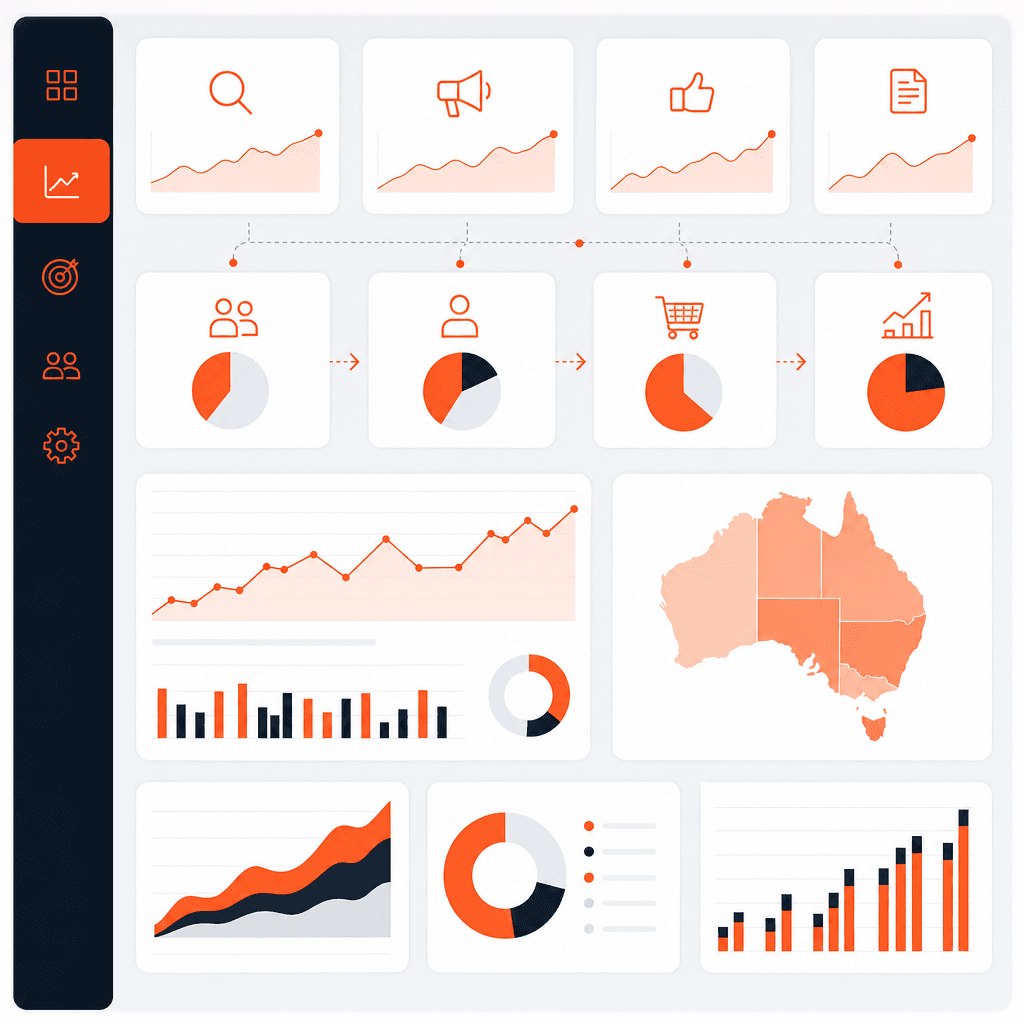
Every element on your dashboard should earn its place by answering a question or prompting an action. Use a strict layout hierarchy:
Top row: North Star metrics with target vs actual
Second row: Primary channel performance KPIs
Third row and below: Diagnostic breakdowns that explain the numbers above
Colour code your metrics. Green means on target. Amber means within 10-15% of target but watch it. Red means action required. Consistency in this coding removes ambiguity and speeds up decision-making.
Step 5: Configure Alerts
Dashboards are passive. Alerts are active. Set up email or Slack alerts for:
Spend pacing that deviates more than 15% from daily target (overspend or underspend)
Conversion rate drops greater than 20% versus the prior period baseline
GA4 tracking anomalies (significant drops in session data may indicate tracking failures)
In GA4, use the Intelligence Alerts feature. In Google Ads, use automated rules. In Databox, alerts are a built-in feature. These alerts mean your team is responding to problems within hours rather than discovering them in the next monthly review.
Step 6: Establish Your Review Cadence
Daily: Paid media team checks spend pacing and conversion rates
Weekly: Marketing manager reviews channel performance against weekly targets, flags optimisation priorities
Monthly: Executive dashboard reviewed by business owner or CMO; strategic decisions made about budget allocation, channel investment, and campaign direction
Quarterly: Full dashboard audit; KPIs reassessed against current business objectives, new targets set
How 3P Digital Builds Client Dashboards
At 3P Digital, dashboard design is embedded in our 3P Framework. During the Plan phase, we define the measurement architecture — the KPIs, the targets, the attribution model, and the reporting cadence — before we touch a single tool. During the Perform phase, the dashboard is the central accountability mechanism for every channel we manage.
Here is how that plays out in practice.
Case Study 1: Mortgage Broking Firm, Sydney
A Sydney-based mortgage broking firm came to us with a significant problem: they were spending approximately $18,000 per month across Google Ads and Meta Ads but had no reliable data on which channel was generating settled loans versus which was generating unqualified enquiries. Their previous agency reported on leads. Their business ran on settlements.
We built a three-layer dashboard: an executive layer tracking cost per settlement and marketing's contribution to total settlements, a channel layer tracking CPL and lead quality rate by source, and a campaign layer for day-to-day paid media optimisation.
The critical step was integrating their CRM (HubSpot) with Looker Studio via a custom connector to pull settlement data back into the dashboard. Within 90 days, the data clearly showed that Meta Ads was generating 60% of lead volume but less than 20% of settlements, while Google Ads was generating 40% of leads and over 70% of settlements. Budget was reallocated accordingly. Within six months, cost per settlement decreased by 34% with the same overall spend.
Case Study 2: Recruitment Agency, Melbourne
A Melbourne recruitment agency specialising in technology placements needed a dashboard that could demonstrate marketing's contribution to revenue in a business where the sales cycle is complex and attribution is messy. Their leadership team was sceptical of marketing investment because previous reporting had focused on website traffic and social engagement — neither of which connected to placement revenue.
We started by redefining the KPIs entirely. Out went sessions and followers. In came cost per candidate submission, candidate submission-to-interview rate, cost per placement, and marketing-influenced pipeline value. We built a Looker Studio dashboard connected to GA4, LinkedIn Ads, and their recruitment CRM.
The first executive review using the new dashboard resulted in an immediate decision to pause LinkedIn brand awareness campaigns (which had looked healthy on engagement metrics but showed zero contribution to candidate pipeline) and increase investment in targeted content marketing and SEO targeting candidate intent keywords. Over the following quarter, organic candidate enquiries increased by 47% and cost per placement from marketing-attributed sources decreased by 28%.
"Before 3P Digital rebuilt our reporting, we were guessing. Now we walk into budget meetings with data that tells a clear story about what's working and what to cut. It's changed how we think about marketing investment entirely." — Marketing Manager, Melbourne Recruitment Agency
Common Mistakes That Kill Dashboard Adoption
Building the dashboard is only half the battle. Here are the mistakes that prevent dashboards from ever driving decisions.
Trying to Track Everything
There is a direct relationship between the number of metrics on a dashboard and how often it gets used. The more you add, the less people engage. Ruthless prioritisation is not a limitation — it is a feature. If a metric does not directly inform a decision your team can take within the next reporting cycle, remove it.
Skipping Stakeholder Alignment
A dashboard designed by the marketing team for the marketing team will not satisfy a business owner or a board. Before you build, interview every stakeholder who will use the dashboard. What questions do they arrive with on Monday morning? What would make them feel confident about marketing's direction? Build the answers to those questions into the design.
Not Training the Team on How to Read It
A dashboard is only as useful as the team's ability to interpret it and act on it. Run a 30-minute walkthrough when you launch. Document what each metric means, what good looks like, and what actions each alert should trigger. This context prevents misinterpretation and speeds up decision-making.
Letting It Go Stale
Business objectives change. Campaigns end. New channels launch. A dashboard that was perfectly calibrated in January may be measuring the wrong things by July. Schedule a quarterly dashboard review as a fixed item in your marketing calendar. Treat the dashboard itself as a living document.
Ignoring Attribution Complexity
Last-click attribution is a lie that most Australian marketing dashboards are still telling. A customer who clicks a Meta ad, then reads a blog post, then clicks a Google Search ad, and then converts is being credited entirely to Google Search in a last-click model. This systematically undervalues top-of-funnel channels and leads to poor budget decisions over time.
GA4's data-driven attribution model is a meaningful improvement for businesses with sufficient conversion volume (Google recommends at least 30 conversions per month per conversion event for the model to be reliable). If you are below that threshold, use a linear or time-decay model rather than last-click. For a detailed breakdown of attribution modelling approaches, our analytics service covers this in depth.
Hero Stats: Marketing Dashboard Effectiveness in 2026
74% of Australian marketing managers say they lack confidence in their marketing data (Gartner, 2026 Marketing Data Survey)
2.2x more likely to achieve above-average revenue growth: organisations using structured marketing analytics versus intuition-led decision making (Gartner)
34% reduction in cost per settlement achieved by 3P Digital client after dashboard-led budget reallocation (see Case Study 1)
47% increase in organic candidate enquiries for 3P Digital recruitment client within one quarter of implementing objective-driven dashboard (see Case Study 2)
5-7 KPIs: the optimal number of primary KPIs for a marketing dashboard before cognitive overload reduces decision quality
If you want a dashboard built on solid data architecture that your team will actually use, book a free strategy session with 3P Digital. We audit your current measurement setup, identify the gaps, and design a reporting framework matched to your specific business model and revenue goals.
FAQs
How much does it cost to build a marketing dashboard in Australia?
The cost depends entirely on the tools you choose and the complexity of your data sources. At the entry level, a Looker Studio dashboard connected to GA4, Google Ads, and Search Console costs nothing in software fees — your investment is time (typically 10 to 20 hours for a competent build) or agency fees if you outsource it. At the other end, a fully integrated dashboard with CRM connectivity, custom calculated metrics, and multi-channel attribution modelling can involve $2,000 to $8,000 in setup costs if you engage an agency, plus ongoing tool costs of $100 to $500 per month for SaaS platforms like Databox or AgencyAnalytics. For most Australian SMEs, the right starting point is GA4 plus Looker Studio with a professional setup, which keeps software costs at zero and delivers a production-quality dashboard.
What tools should Australian businesses use for marketing dashboards?
For most Australian businesses, GA4 plus Looker Studio is the best starting point. It is free, integrates natively with Google's full suite, and is flexible enough to handle most dashboard requirements. If you need a polished mobile experience and fast setup without heavy configuration, Databox is worth the investment from around $90 per month. If you are an agency managing multiple client accounts, AgencyAnalytics offers white-label reporting and strong multi-platform integration. The tool matters less than your data architecture — consistent UTM parameters, clean conversion tracking in GA4, and clearly defined KPIs will produce better decisions than an expensive tool built on unreliable data.
How often should I refresh my marketing dashboard?
The refresh cadence should match the decision-making cycle it supports. Paid media dashboards should update daily because campaign budgets, bids, and creative decisions are made on a daily or weekly basis. SEO dashboards can update weekly or fortnightly because organic search changes slowly and daily fluctuations are often noise rather than signal. Executive dashboards should refresh weekly or monthly depending on your business cycle. The key principle is this: if the data refreshing frequency is faster than your ability to act on it, you are creating noise rather than insight. Match your data freshness to your decision speed.
How do I set up GA4 for a marketing dashboard in Australia?
Start by ensuring your GA4 property is configured for the Australian timezone and AUD currency. Configure your conversion events to match actual business goals: form submissions, phone call clicks, booking completions, or purchase events as appropriate. Enable Google Signals if you want cross-device reporting (note the privacy implications and ensure your privacy policy reflects this). Link GA4 to Google Ads and Google Search Console for integrated reporting. Set up a data stream for each digital property you own. Most importantly, verify every conversion event is firing correctly using GA4 DebugView before you build any dashboard on top of it. Our analytics service handles full GA4 configuration as a core deliverable.
What KPIs should I track in my marketing dashboard?
Start with your North Star Metric — for most Australian businesses this is either cost per qualified lead or revenue attributed to marketing. Then identify five to seven supporting KPIs that directly explain or predict that number. Common choices include: total leads by channel, lead quality rate (percentage advancing to opportunity), cost per lead by channel, blended ROAS for paid media, organic conversion rate, and email revenue per send. Avoid tracking metrics that do not connect to revenue: total impressions, follower counts, and average session duration are diagnostic metrics at best and vanity metrics at worst. For channel-specific KPI guidance, our digital marketing ROI guide covers attribution and channel weighting in detail.
When should I hire an agency to build and manage my marketing dashboard?
Hire an agency when any of these conditions apply: you are spending more than $10,000 per month across digital channels and do not have reliable attribution data; your internal team lacks the technical capability to connect CRM data to your reporting layer; you have tried to build a dashboard internally and it has gone stale through lack of maintenance; or your business owner and marketing team are making budget decisions based on gut feel rather than data. An experienced agency will not just build the dashboard — they will define the measurement framework, ensure tracking accuracy, and create the review cadence that drives accountability. Talk to 3P Digital if you are unsure whether your current setup is serving your business.
Can a marketing dashboard help with budget allocation decisions?
Yes, and this is arguably its most valuable application. When your dashboard shows cost per acquisition broken down by channel, campaign, and audience segment, budget allocation decisions become straightforward. You scale what is working and cut what is not, based on actual performance data rather than assumptions. The 3P Digital case studies in this article illustrate this directly: both clients made significant budget reallocation decisions within the first quarter of implementing their dashboards, and both saw measurable improvements in their cost per acquisition as a result. The dashboard does not make the decision — it makes the right decision obvious.
What is the difference between a marketing dashboard and a marketing report?
A marketing report is a snapshot: it documents what happened over a defined period. A marketing dashboard is live and continuous: it shows what is happening now relative to targets. Reports are useful for retrospective analysis and stakeholder communication. Dashboards are useful for operational decision-making and ongoing accountability. Most businesses need both. Monthly reports provide strategic context and documented performance history. Real-time or weekly dashboards support the day-to-day optimisation decisions that compound into meaningful results over time. If you currently only have periodic reports and no live dashboard, you are always making decisions based on data that is at least a month old.
References
Google Analytics 4 Documentation (Google, 2026): Official GA4 setup and configuration documentation covering data streams, conversion events, attribution models, and integration with Google Ads and Search Console. Available via Google's developer documentation and Analytics Help Centre.
Looker Studio Help Centre (Google, 2026): Official documentation for Looker Studio covering data source connections, calculated fields, dashboard design, sharing configurations, and community connector integration. Available via Google's Workspace Learning Centre.
Gartner Marketing Data and Analytics Survey (Gartner, 2026): Annual survey of marketing leaders examining data confidence, analytics maturity, and the correlation between structured marketing measurement and revenue growth. Published in Gartner's Marketing Research division.
Forrester: The State of Marketing Measurement and Optimisation (Forrester Research, 2026): Research report examining how B2B and B2C organisations approach marketing attribution, dashboard adoption, and the business impact of measurement maturity. Available via Forrester's marketing research subscription.
Google Ads Help Centre: Conversion Tracking (Google, 2026): Official documentation on Google Ads conversion tracking setup, including cross-account conversion tracking, import from GA4, and attribution model configuration. Available via Google Ads support documentation.
Australian Digital Advertising Expenditure Report (IAB Australia, 2026): Industry report tracking digital advertising spend across search, social, display, and video in the Australian market. Includes channel-level benchmarks and year-on-year growth data. Published biannually by the Interactive Advertising Bureau Australia.